WA Hybrid Learning Resources
  • Home
  • TEACHERS
    • Veterans Day Resources
    • Hispanic Heritage Month
    • Native American Heritage Month
    • Black History Month
    • Other Tech Tips >
      • Email Etiquette
      • Shared Resources from Teachers
    • Copyright/Fair Use Guidelines for Digital Learning
    • Business Office Forms (Start here) >
      • Purchase Order
      • Purchase Request Form - Brown
      • Time Off Request Form
      • Course Approval Form
      • Petty Cash Request Form
      • Cash Deposit Form
    • Becoming a Google Certified Educator and Other Google Resources
  • STUDENTS
    • Google Classroom Basics
    • Zoom Basics
    • Student Handbook
    • Early College Online (CLICK HERE FIRST) >
      • Brightspace Access, Tutorials, & Tech Support
      • UMaine Portal, MaineStreet, & Account Mgt. (TECH SUPPORT)
      • ExplorEC
      • Early College Orientation
      • E-mail Etiquette
      • Free Download Microsoft Office with maine.edu email address
    • Basics of Google: Gmail, Docs, Sheets, & Slides
    • Chromebooks
    • Word of the Day
  • Larson Library - Welcome!
    • How to access Print, E-Books & Audiobooks
    • Databases
    • Search Strategies & Evaluating Websites
    • Citation Tools/Plagiarism >
      • Grammarly & Plagiarism Checker
    • Ethical Use of Images - Copyright/Fair Use - Image Resources
    • BIG6 Research Process >
      • Step 1: Task Definition
      • Step 2: Information Seeking Strategies
      • Step 3: Location & Access
      • Step 4: Use of Information
      • Step 5: Synthesis
      • Step 6: Evaluation
    • Research Paper Help-Video Tutorials
    • Formatting APA/MLA Papers
    • Writing different types of papers
    • Writing an Annotated Bibliography
    • Creating a Thesis Statement
    • Creating an Outline
  • PARENTS
    • Google Classroom Basics for Parents
    • Zoom Basics for Parents
    • Chromebooks
    • Early College Online & TECH SUPPORT
  • WA Website
  • Library Guides
    • Thomas Public Speaking

Google Classroom

Basics for Parents/Guardians
Parents/Guardians:  Google Classroom is one of the two main platforms that WA teachers are using with students this year to deliver classroom content.  Students will be required to sign into GC every day using their raider4life.org email to check for new classroom content, submit assignments, check for messages, etc.  Below you will find a few basic tutorials for using Google Classroom.  To access the tutorials, simply click on the image to view a 3-5 minute video.  Other resources for using Google Classroom may be accessed under the "Student" drop-down menu above.  If you have any additional questions regarding Google Classroom, please contact your child's classroom teacher or our library technician, for assistance.  
Picture
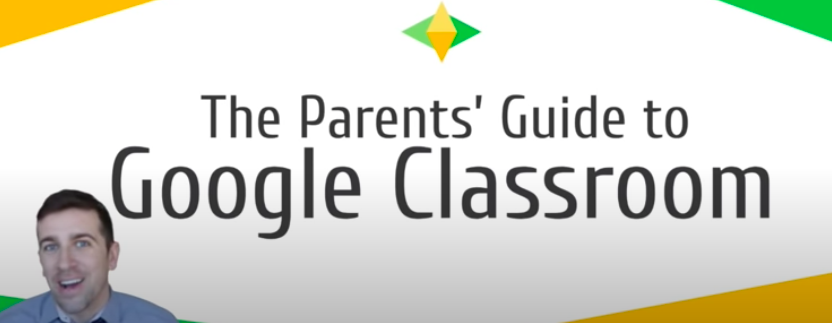
A 4-minute Overview of Using Google Classroom
Picture
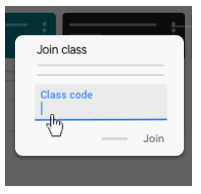
How to Join a Class Using a Class Code From Your Teacher
Picture
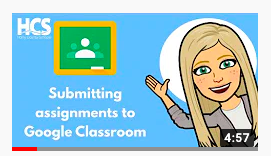
How to Submit Assignments in Google Classroom Tutorial
Picture
Top 3 Mistakes Students Make When Submitting Assignments to Google Classroom

    Parents:  If you have any questions regarding Google Classroom, please contact your child's classroom teacher or fill in the "Question Box" below.

Submit
Powered by Create your own unique website with customizable templates.
  • Home
  • TEACHERS
    • Veterans Day Resources
    • Hispanic Heritage Month
    • Native American Heritage Month
    • Black History Month
    • Other Tech Tips >
      • Email Etiquette
      • Shared Resources from Teachers
    • Copyright/Fair Use Guidelines for Digital Learning
    • Business Office Forms (Start here) >
      • Purchase Order
      • Purchase Request Form - Brown
      • Time Off Request Form
      • Course Approval Form
      • Petty Cash Request Form
      • Cash Deposit Form
    • Becoming a Google Certified Educator and Other Google Resources
  • STUDENTS
    • Google Classroom Basics
    • Zoom Basics
    • Student Handbook
    • Early College Online (CLICK HERE FIRST) >
      • Brightspace Access, Tutorials, & Tech Support
      • UMaine Portal, MaineStreet, & Account Mgt. (TECH SUPPORT)
      • ExplorEC
      • Early College Orientation
      • E-mail Etiquette
      • Free Download Microsoft Office with maine.edu email address
    • Basics of Google: Gmail, Docs, Sheets, & Slides
    • Chromebooks
    • Word of the Day
  • Larson Library - Welcome!
    • How to access Print, E-Books & Audiobooks
    • Databases
    • Search Strategies & Evaluating Websites
    • Citation Tools/Plagiarism >
      • Grammarly & Plagiarism Checker
    • Ethical Use of Images - Copyright/Fair Use - Image Resources
    • BIG6 Research Process >
      • Step 1: Task Definition
      • Step 2: Information Seeking Strategies
      • Step 3: Location & Access
      • Step 4: Use of Information
      • Step 5: Synthesis
      • Step 6: Evaluation
    • Research Paper Help-Video Tutorials
    • Formatting APA/MLA Papers
    • Writing different types of papers
    • Writing an Annotated Bibliography
    • Creating a Thesis Statement
    • Creating an Outline
  • PARENTS
    • Google Classroom Basics for Parents
    • Zoom Basics for Parents
    • Chromebooks
    • Early College Online & TECH SUPPORT
  • WA Website
  • Library Guides
    • Thomas Public Speaking